Vigil: live 3D FortiGate traffic dashboard
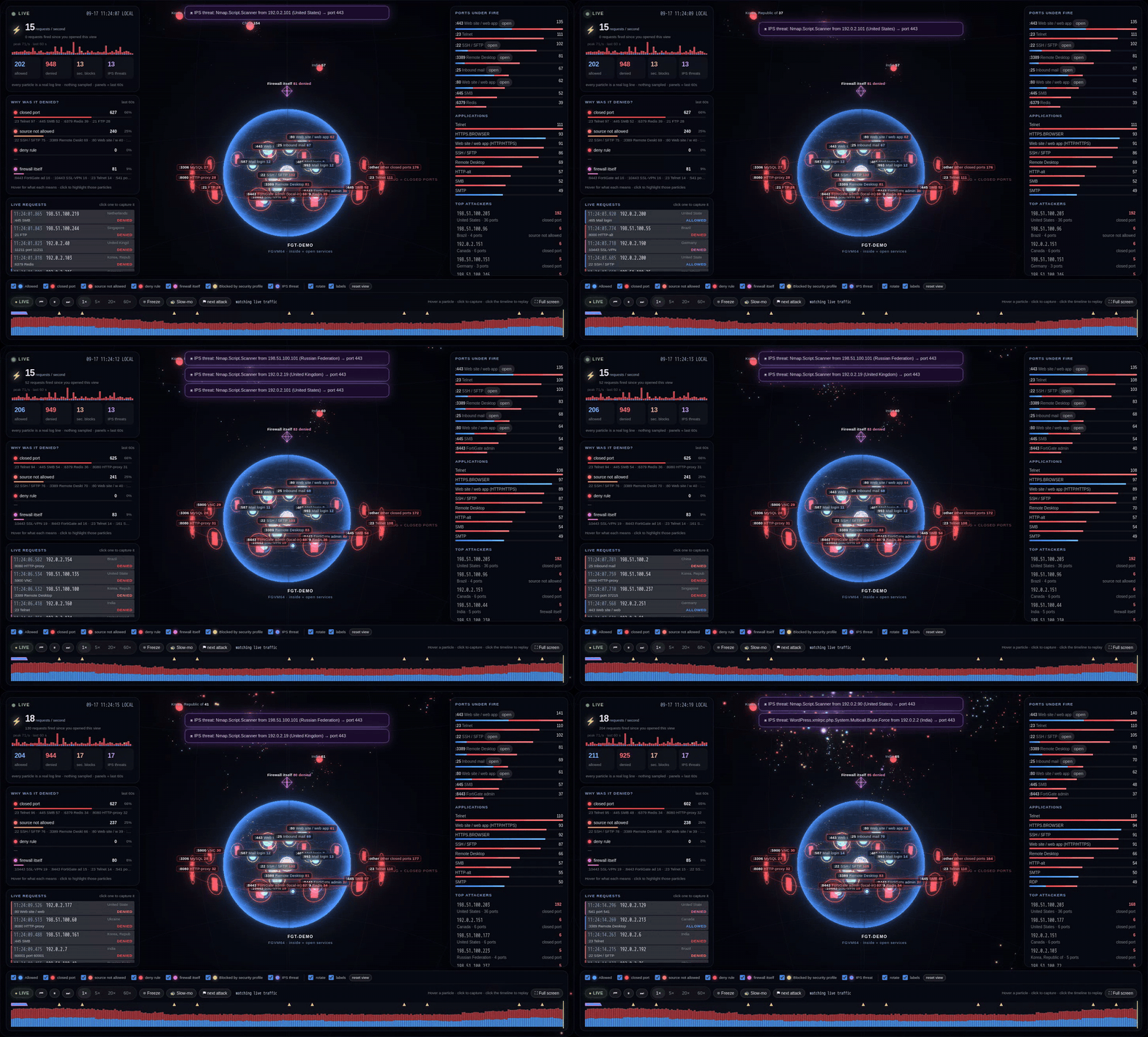
Watch every request hit your FortiGate, in real time, in 3D. Vigil is a free, open-source, self-hosted FortiGate syslog dashboard: live attack visualisation, inbound rule risk grading, live configuration-change tracking and plain-English investigations. It is one Docker container, and the integration is one CLI block on the firewall.
Get it on GitHub → · Read the blog post · FortiAnalyzer alternative? · FortiGate setup · Install guide
Install in one minute
git clone https://github.com/vigiltech01/vigil.git && cd vigil && ./install.sh
Already sending the FortiGate to this machine’s own syslog server on port 514? The installer detects it and Vigil reads that log file read-only - no change on the firewall.
Needs Docker with the Compose v2 plugin. On a fresh machine run curl -fsSL https://get.docker.com | sudo sh first
(or on Ubuntu: sudo apt install -y docker.io docker-compose-v2) - see Install Docker.
Open http://<host>:8080, create the admin account and paste the syslog settings into the FortiGate CLI:
config log syslogd setting
    set status enable
    set server "<vigil-machine-ip>"
    set port 514
    set format default
end
No agent, no API user or token, no firewall password, no FortiAnalyzer, no cloud account. Vigil only listens for syslog.
What you get
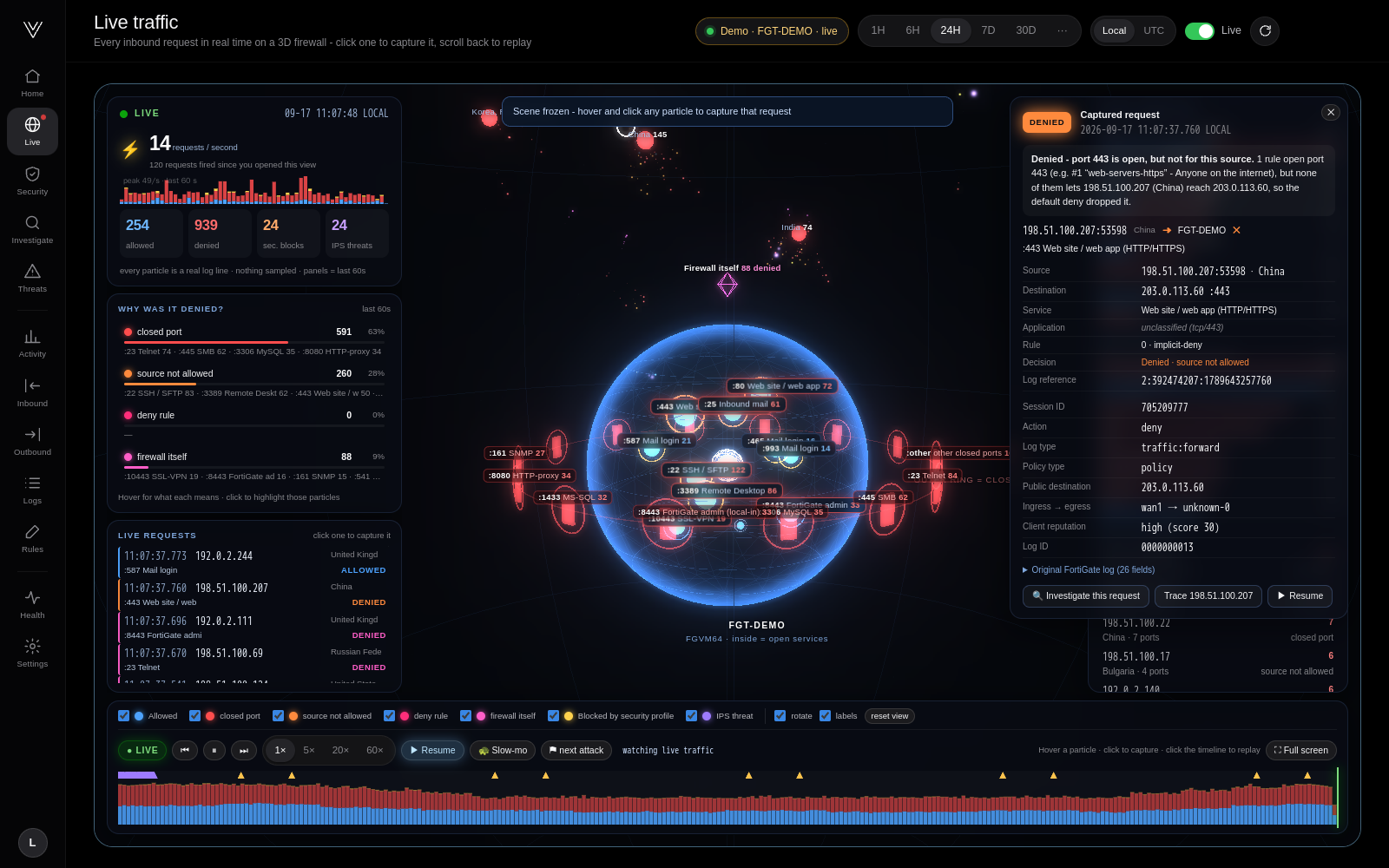
- Live 3D traffic view: your firewall as a glass sphere, published services inside, closed ports as doors, every inbound request as a particle coloured by the decision (allowed, closed port, source not allowed, deny rule, firewall itself, security profile, IPS).
- Freeze and capture any single request: rule, NAT, application, reputation and the original log line.
- Replay any moment of the day at up to 60× with attack markers; full-screen NOC mode.
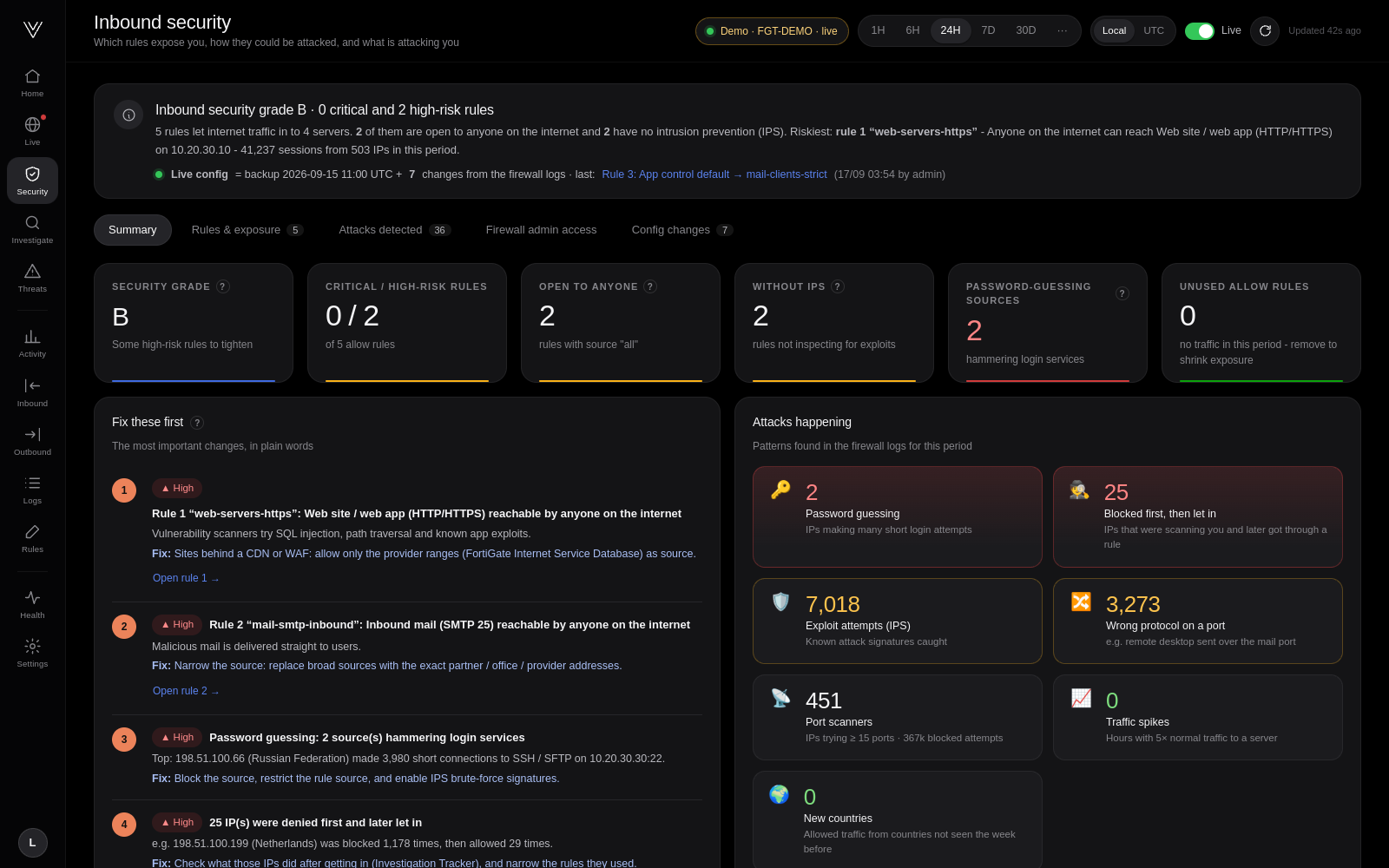
- Inbound security grade: a 0-100 risk score per internet-facing rule with CISA KEV references, MITRE ATT&CK techniques and FortiOS hardening commands.
- Live configuration tracking from the FortiGate’s own change log: disable a rule and the grade updates in seconds.
- Investigations in plain English: why was 198.51.100.201 blocked? Hop-by-hop path and correlated sessions over 30 days.
- Detections: port scans, password guessing, exploit attempts, protocol abuse, spikes, new countries.
- Outbound, threats & UTM, activity, log explorer, rule assistant, health page.
Who builds Vigil
Vigil is built by a small startup building the best open-source security and SIEM tools. Investors and crowdfunding backers are welcome: contact us or sponsor us on GitHub.
Documentation
- Blog: Watch your FortiGate in 3D
- Connecting a FortiGate
- Install guide: requirements, HTTPS, backups, upgrades
- Architecture
- Troubleshooting
- Contact us / investors
Apache 2.0 licensed. FortiGate, FortiOS, FortiAnalyzer and Fortinet are trademarks of Fortinet, Inc. Vigil is an independent project and is not affiliated with or endorsed by Fortinet.